Taobao Bairui New-Link Ordering Steps
Complete Bairui service ordering guide from desktop browser login and package selection through zero-cost store setup, contract signing, and payment logging.
Step 1: Log in and reach the Bairui service page
Enter the following URL in a desktop browser: https://fuwu.taobao.com/ser/detail.htm?service_code=FW_GOODS-1001247908&code=FW_GOODS-1001247908&tracelog=boothId-0-selectionId-0 Sign in by scanning the QR code with your mobile Taobao app. After logging in, re-enter the same URL to land on the Bairui page, then click 'Order Now'.

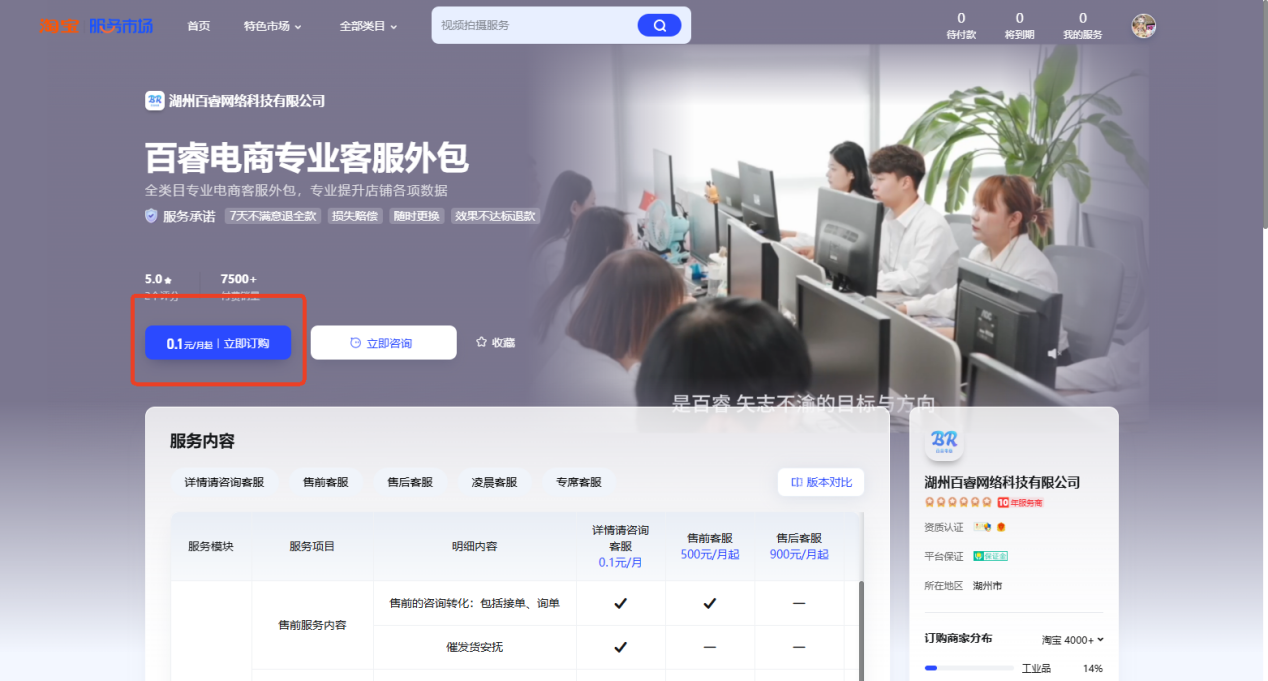
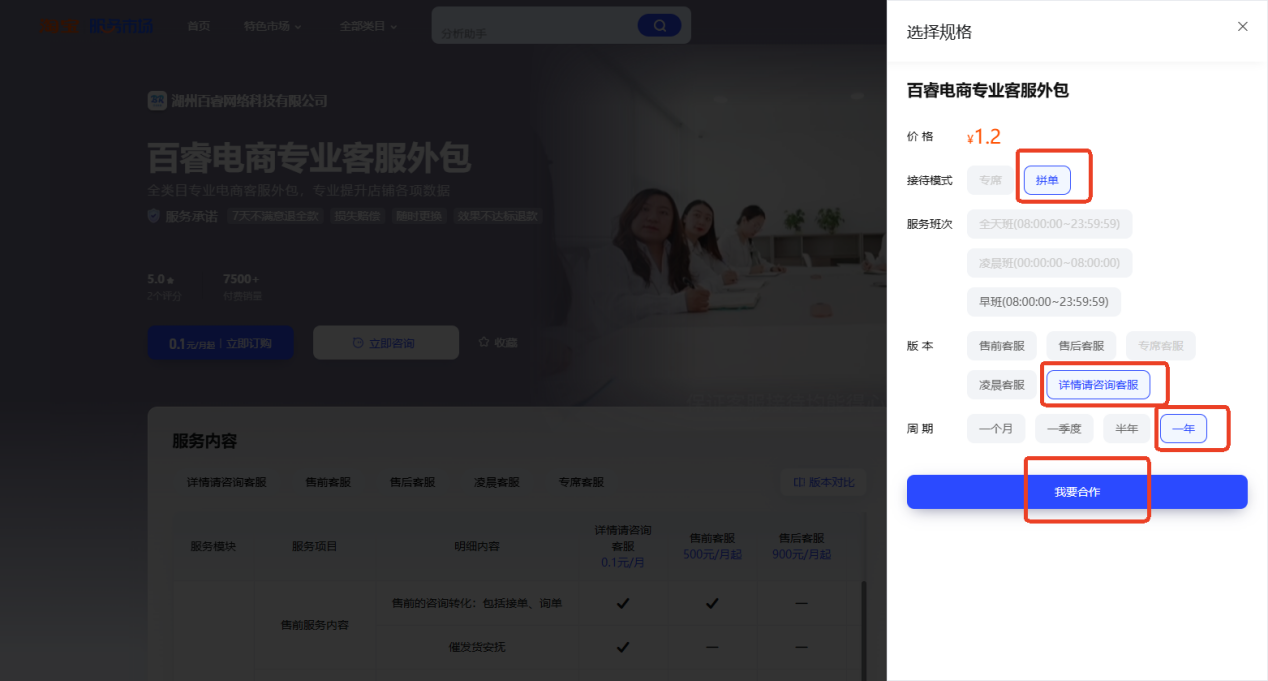
Step 2: Select the correct version and reception mode
Configure the following options: • Version: select 'Consult customer service before placing order (already subscribed)' • Reception mode: select 'Group order' • Cycle: select 'One year' • After confirming, click 'I Want to Cooperate'
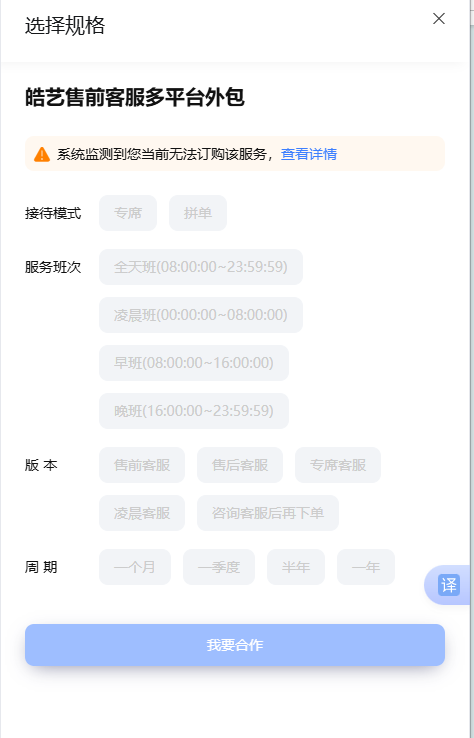
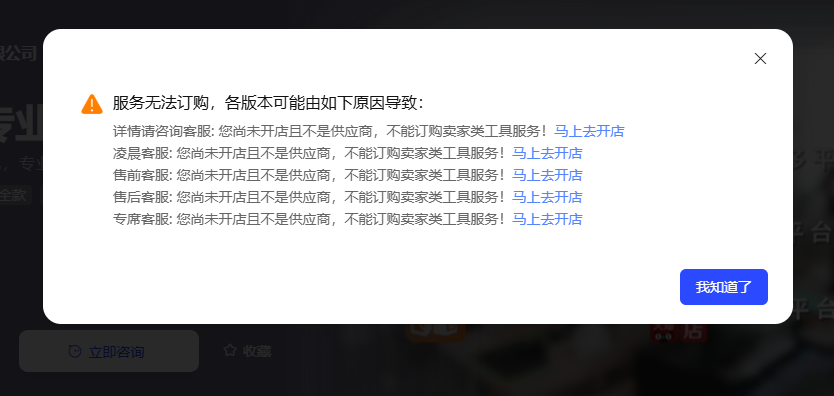
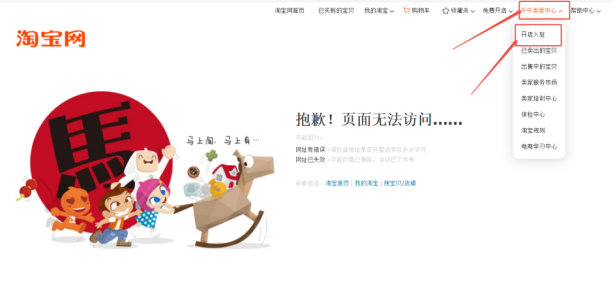
Step 3: Use zero-cost store setup if ordering is blocked
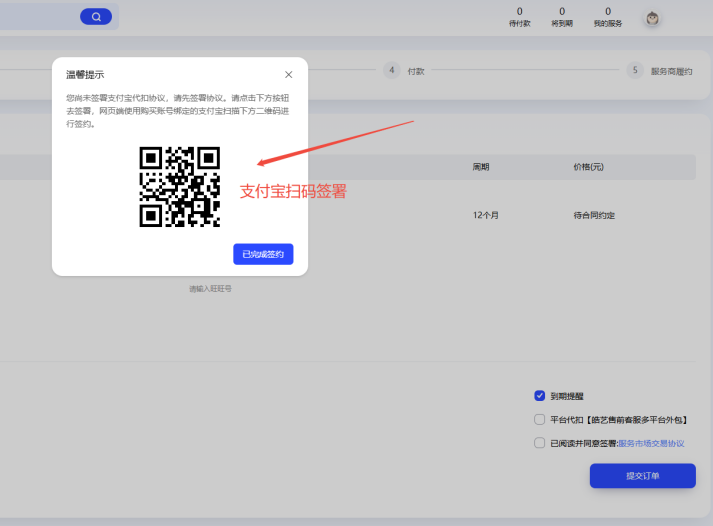
If the system shows the service cannot be ordered, follow these steps: 1. Click 'View Details' and then select 'Zero-Cost Store Opening' 2. Fill in only the basic store information and submit. Some accounts will require Alipay and ID verification. This is a dummy store — no products will go live and no fees are required. 3. Fill in the required phone number field, check all three boxes at the bottom-right, and click 'Submit Order'. Checking the deduction box will not trigger automatic charges — this deduction only applies to commission-based models, and since the contract is set up with a no-commission mode, no automatic deductions will occur.
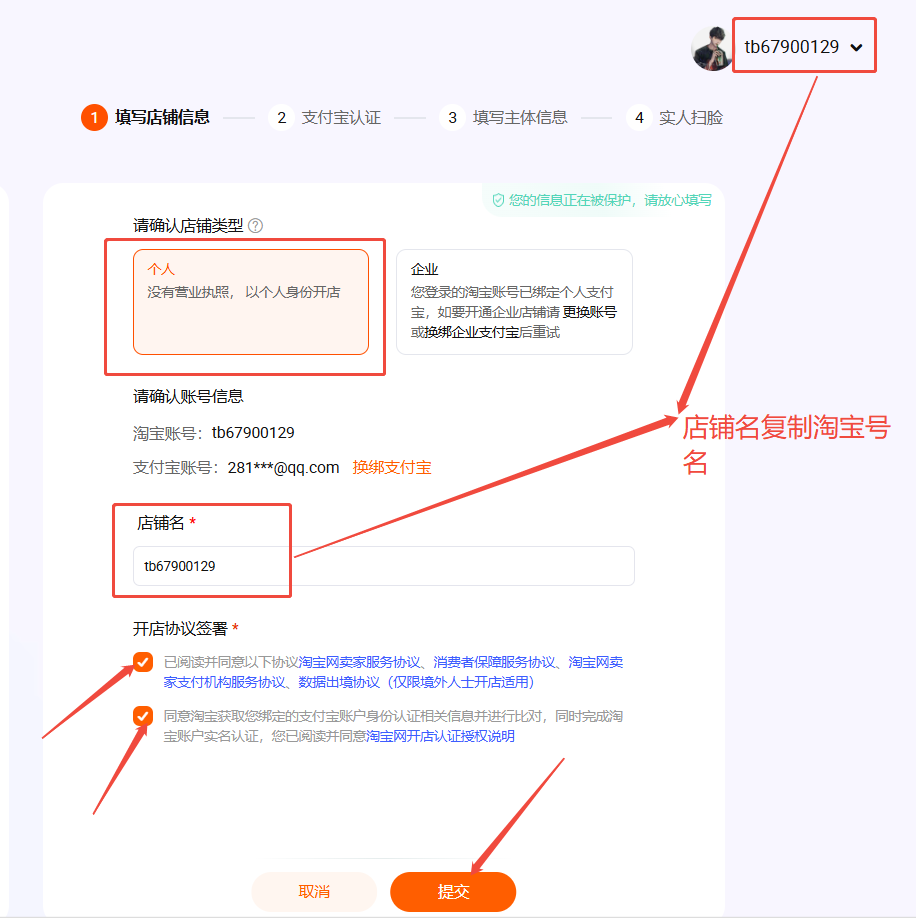
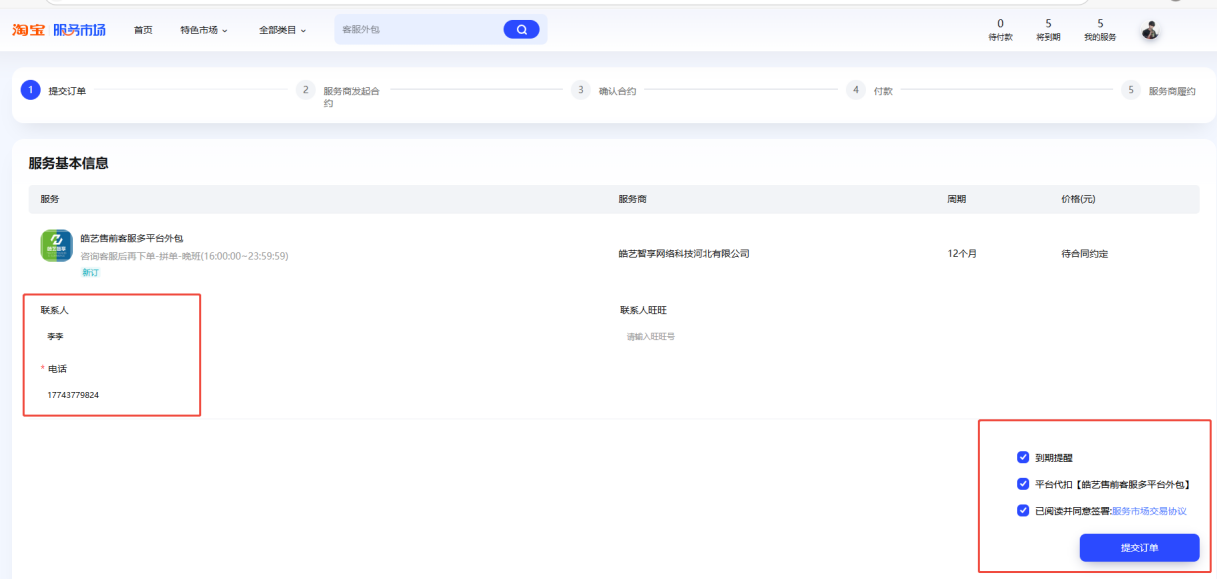

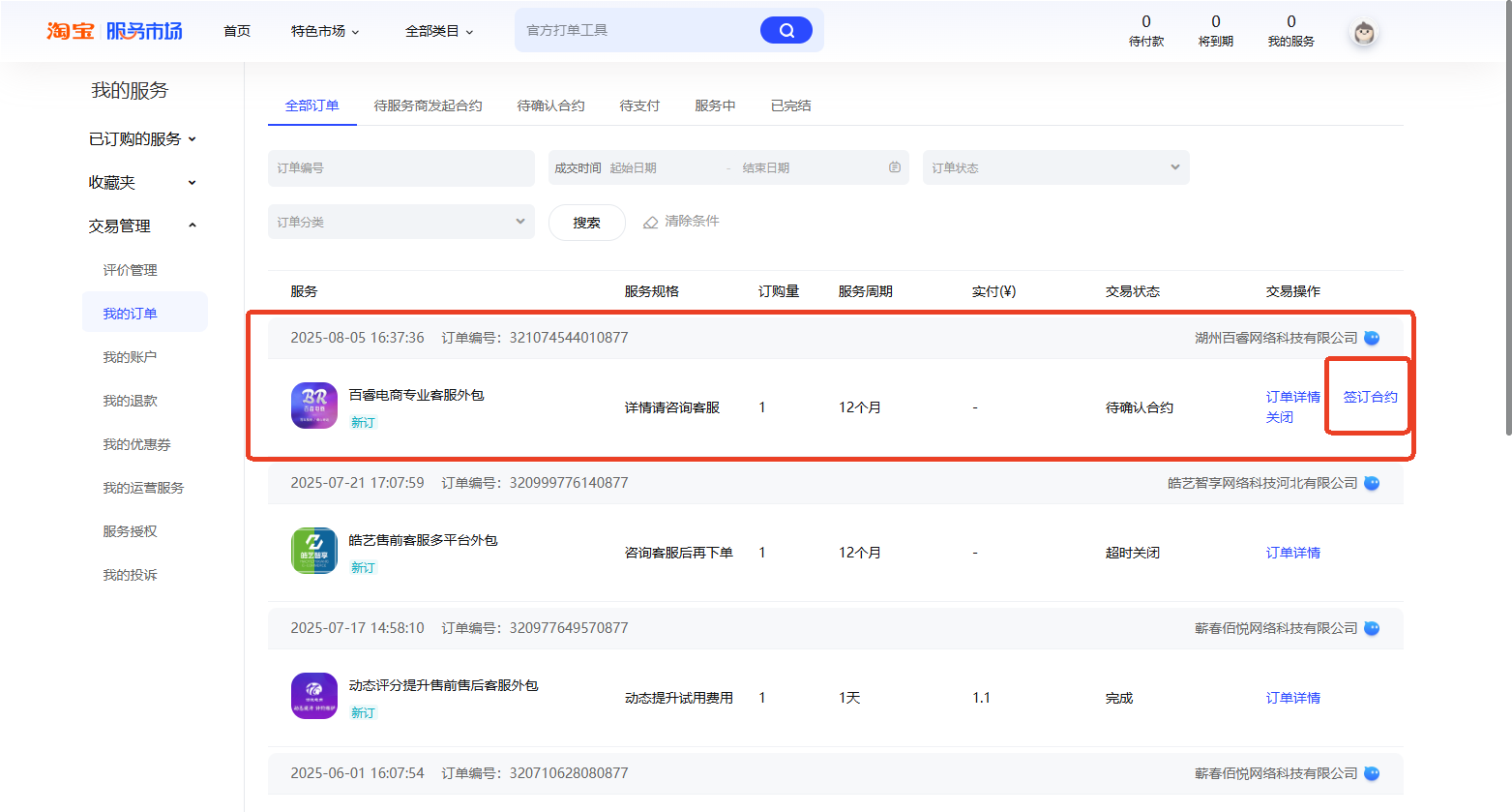
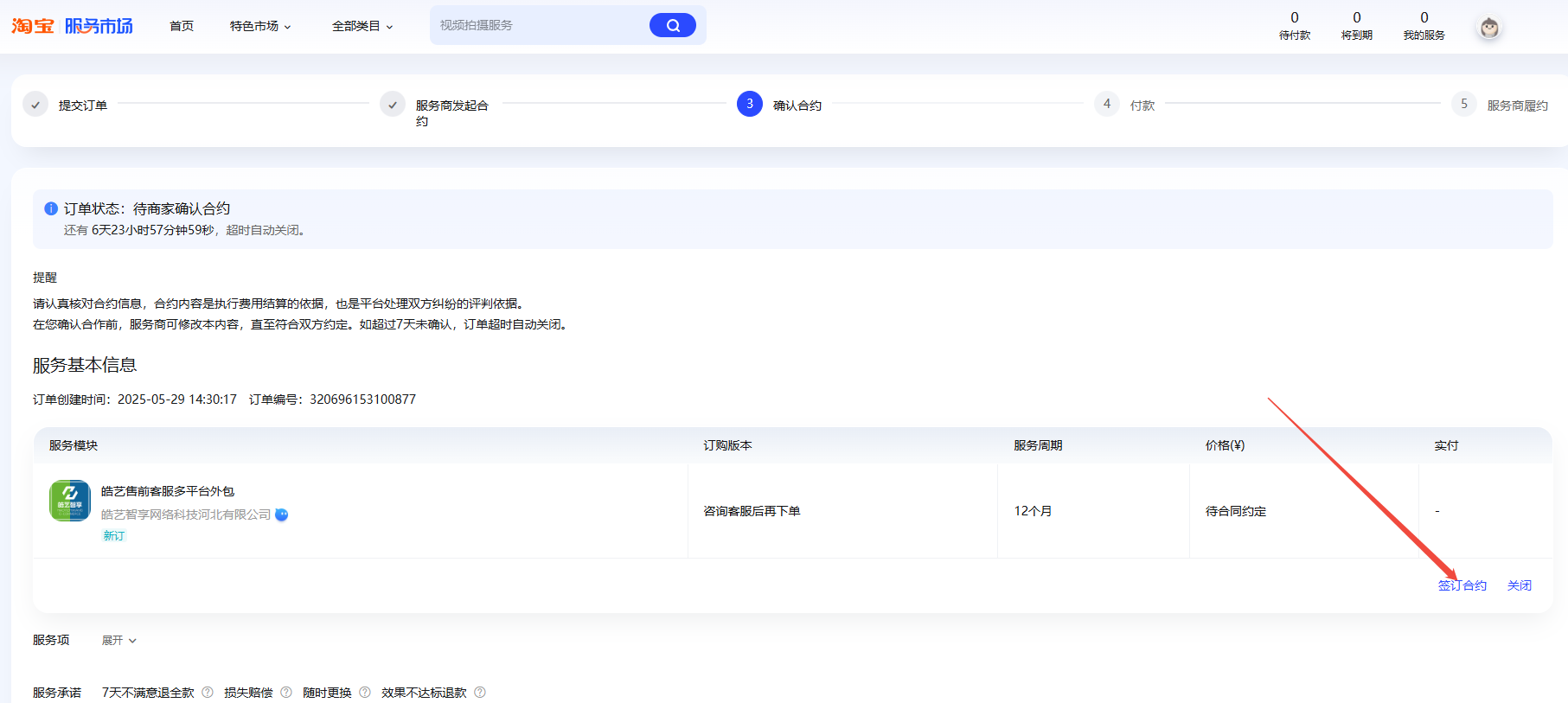
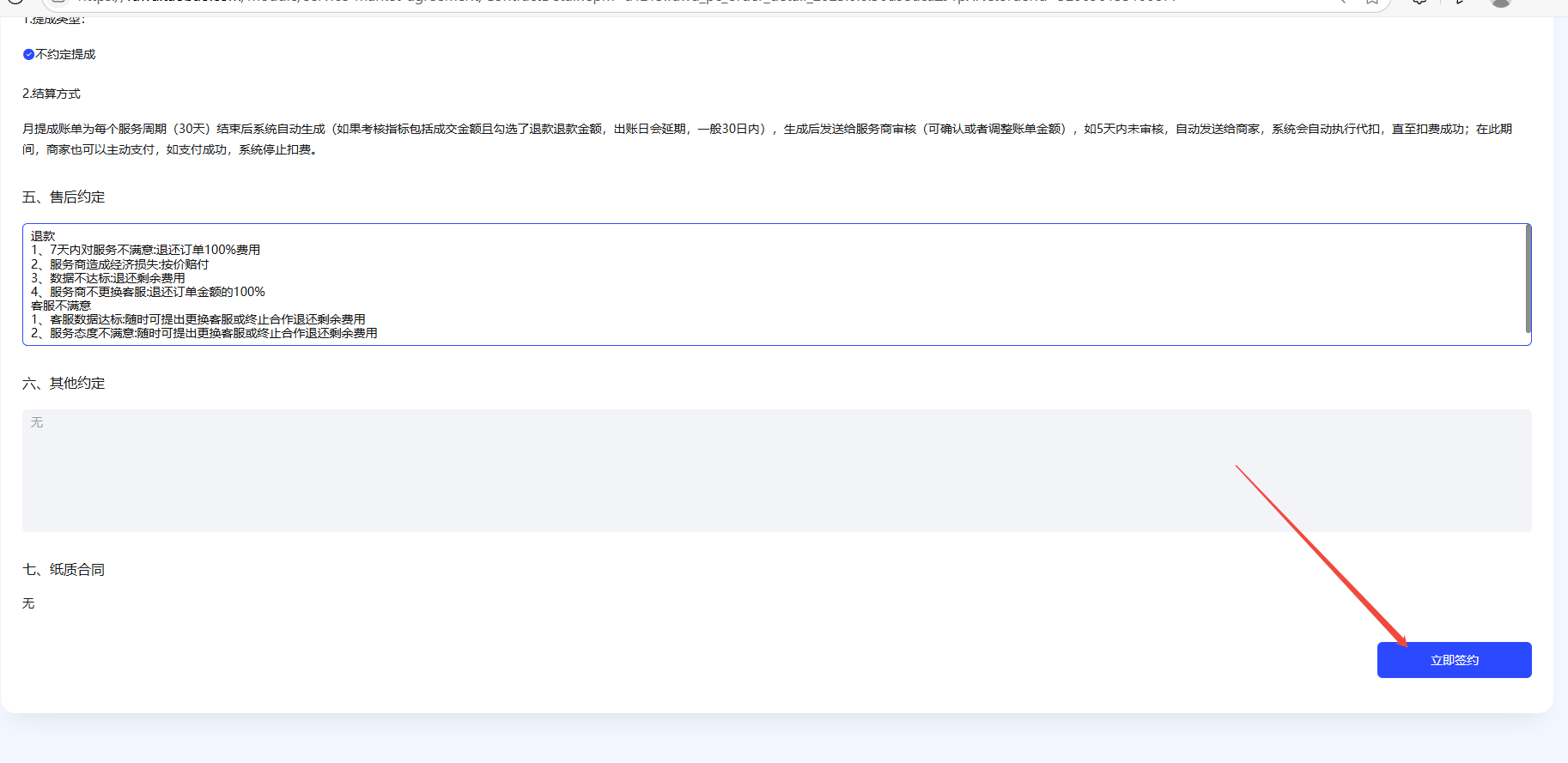
Step 4: Wait for the contract, sign, and pay
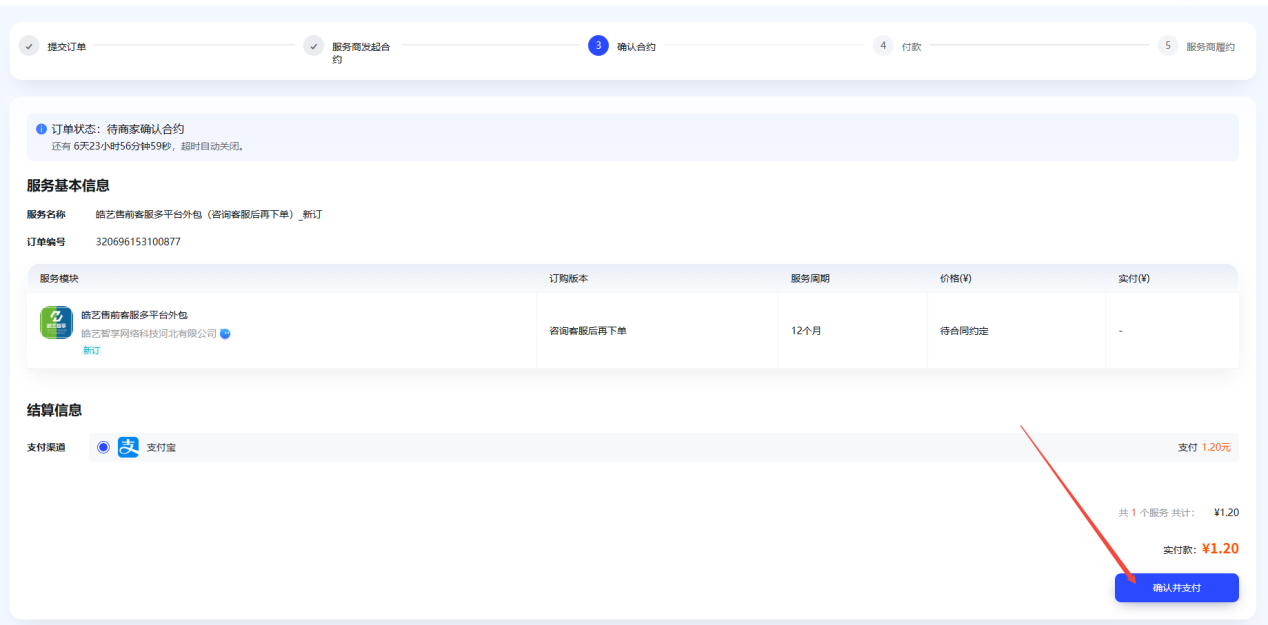
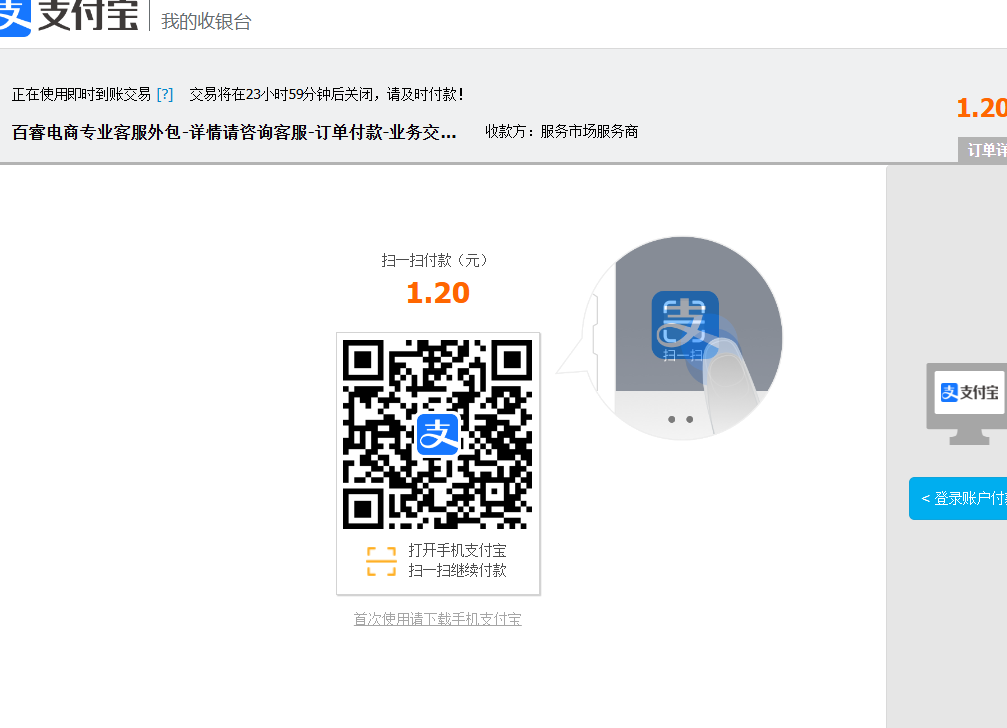
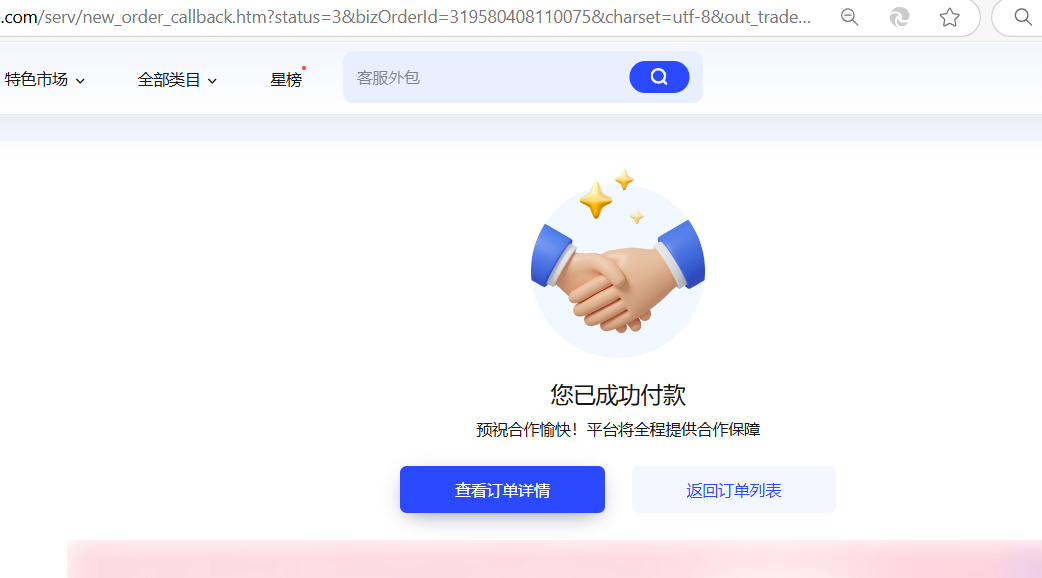
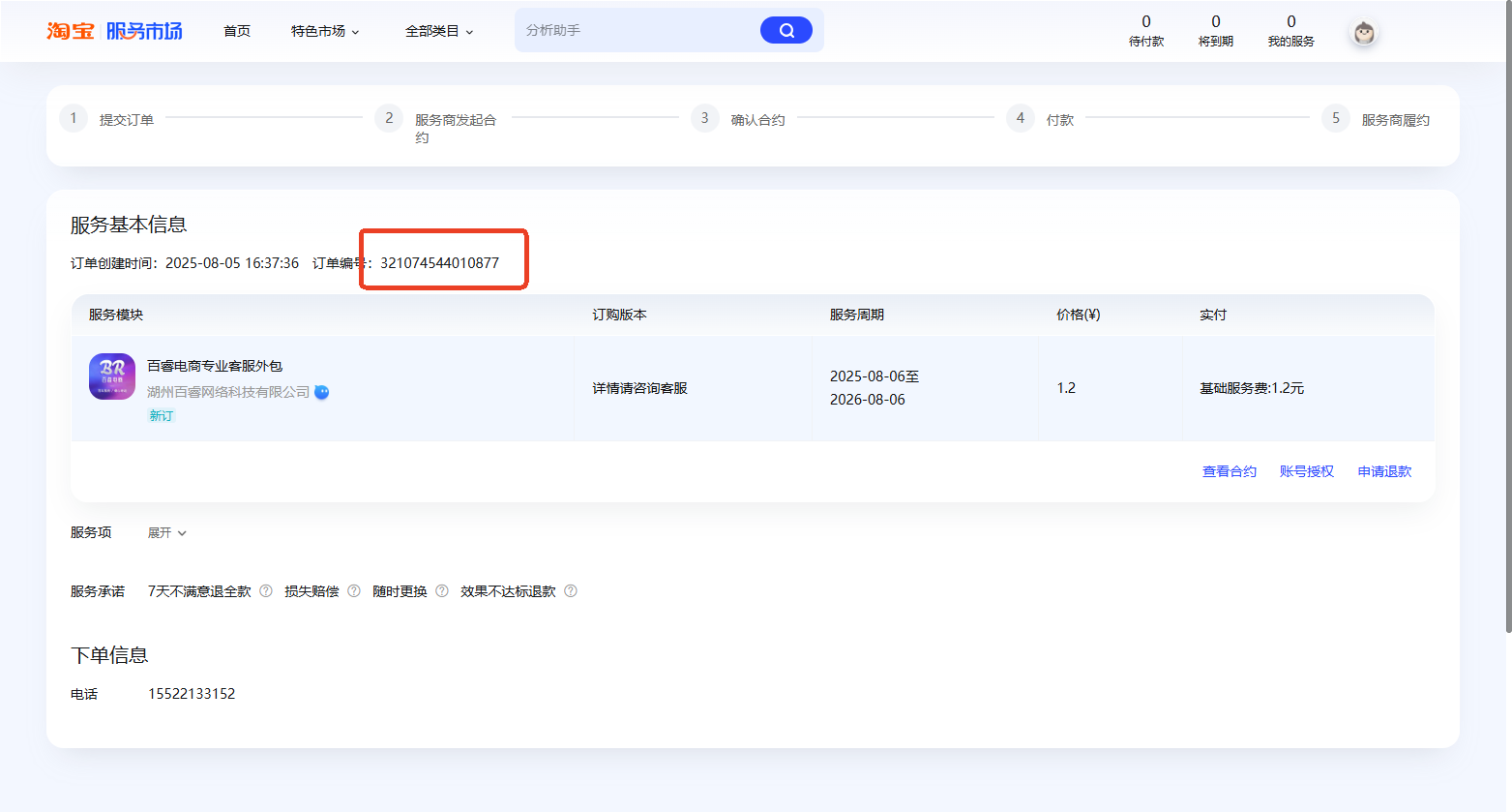
After the order is submitted, wait for the service provider to issue the contract from their backend. The contract system runs continuously — if no one has picked up your order after a few minutes, contact the general manager's office directly. View your order status at: https://fuwu.taobao.com/ser/order/biz_order_list.htm Click 'Sign Contract → Sign Now → Confirm Signing', then 'Confirm and Pay'. Scan the QR code to pay 1.2 RMB. After payment, view the order details and copy the order number. You will need it for future verification and handoff.