Taobao Baiyue After-Sales Order Steps
Complete ordering instructions for the Baiyue after-sales service, including login, SKU selection, store-opening workaround, payment, and order-number logging.
Step 1: Open the service link and log in
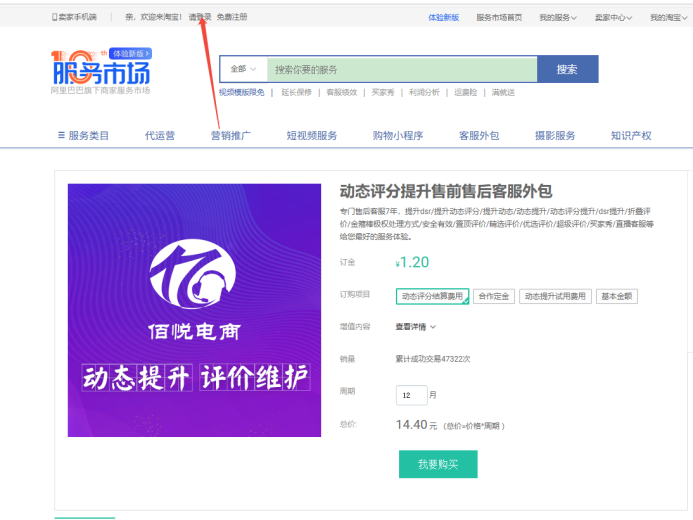
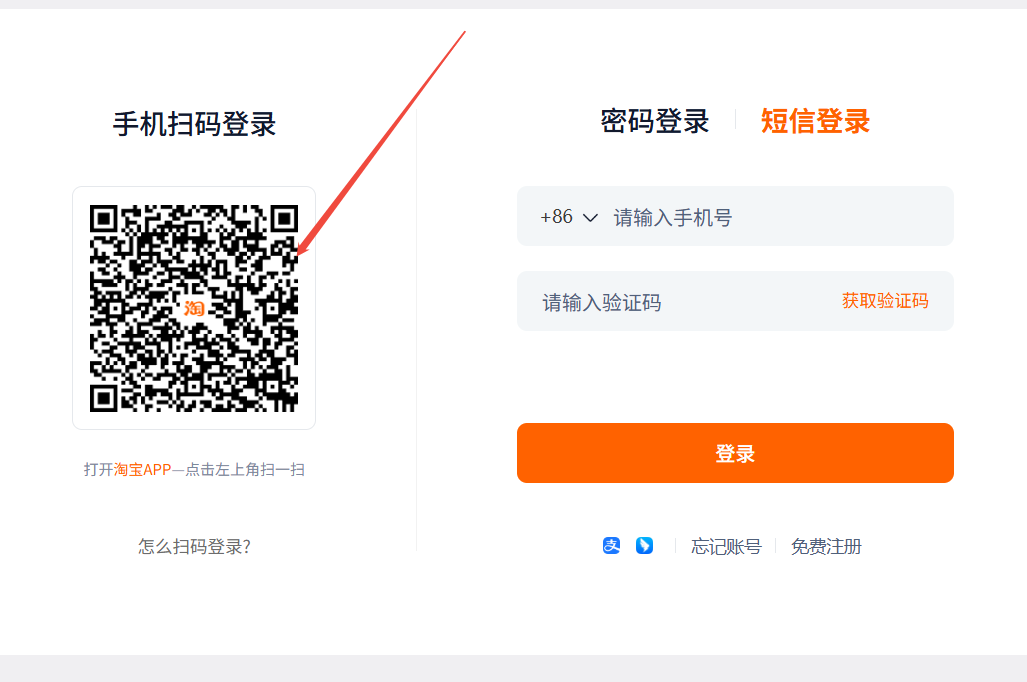
Open the following link in any desktop browser: https://weike.taobao.com/service/fwDetail.htm?code=FW_GOODS-1001040471 Click 'Please log in' in the top-left corner and sign in with your Taobao account using QR code scan or SMS verification.
Step 2: Select the SKU and place the order
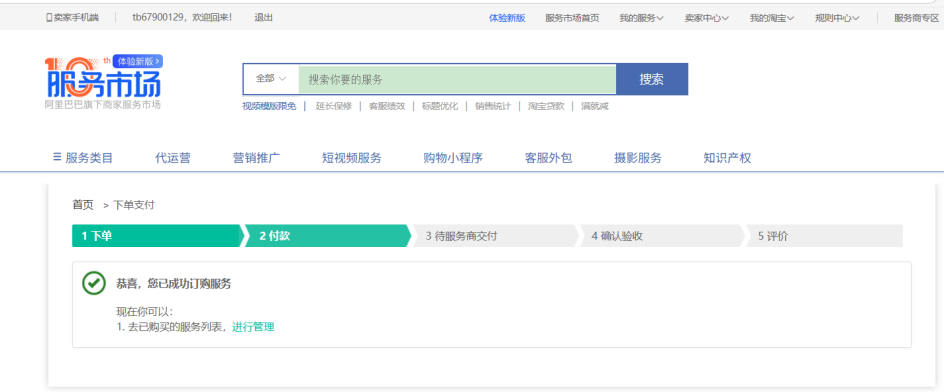
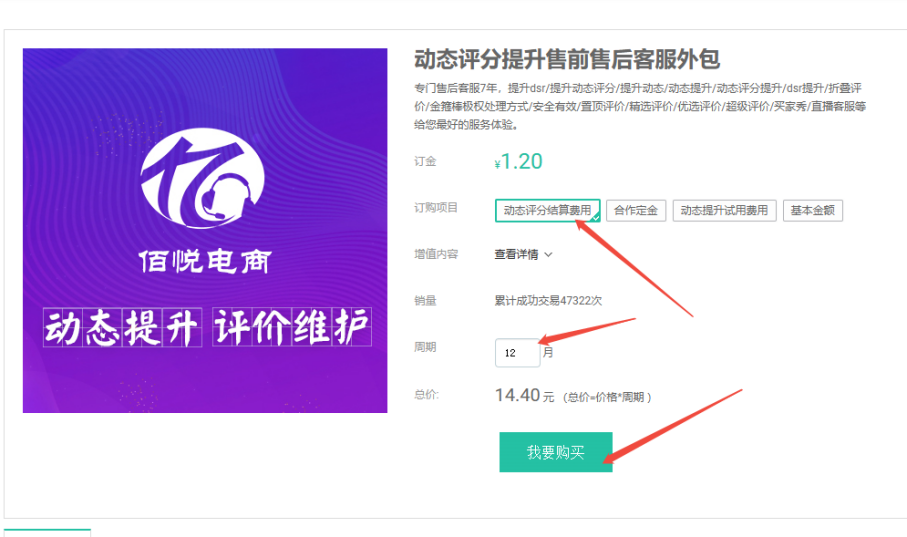
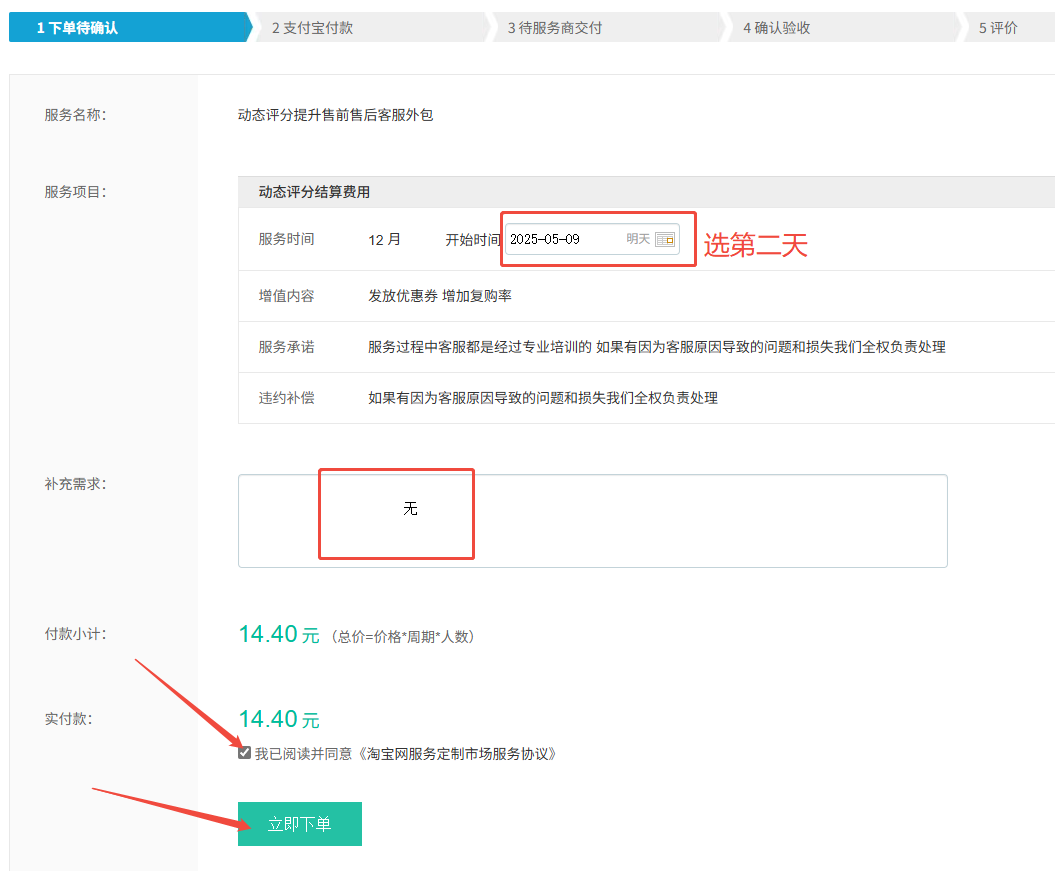
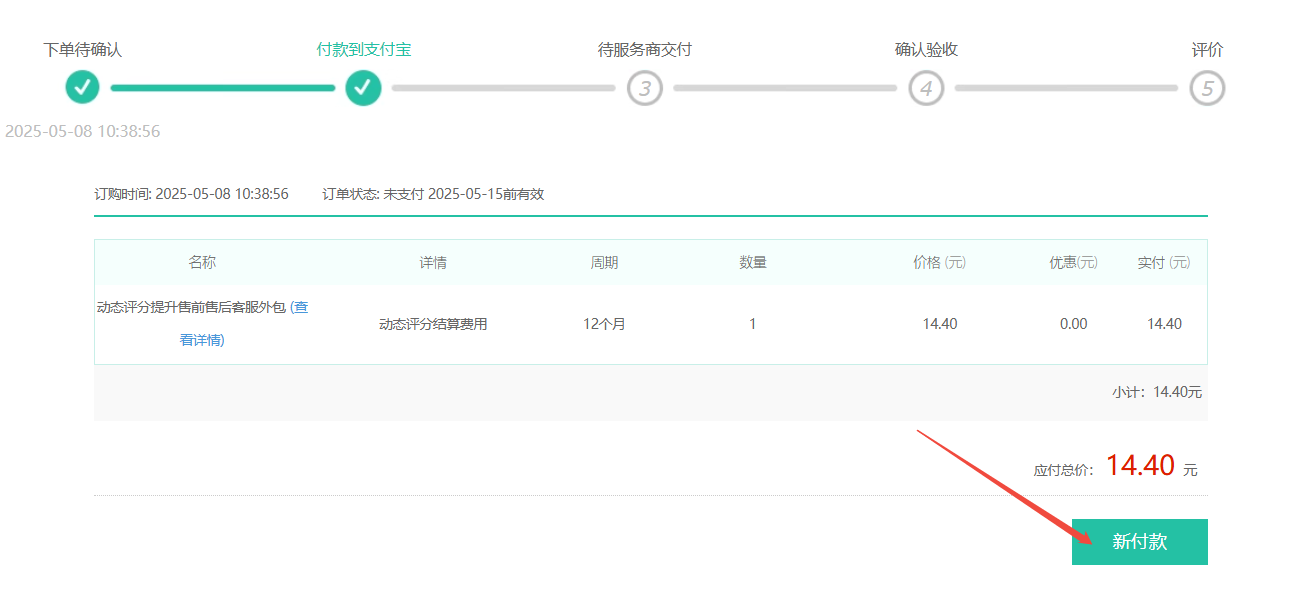
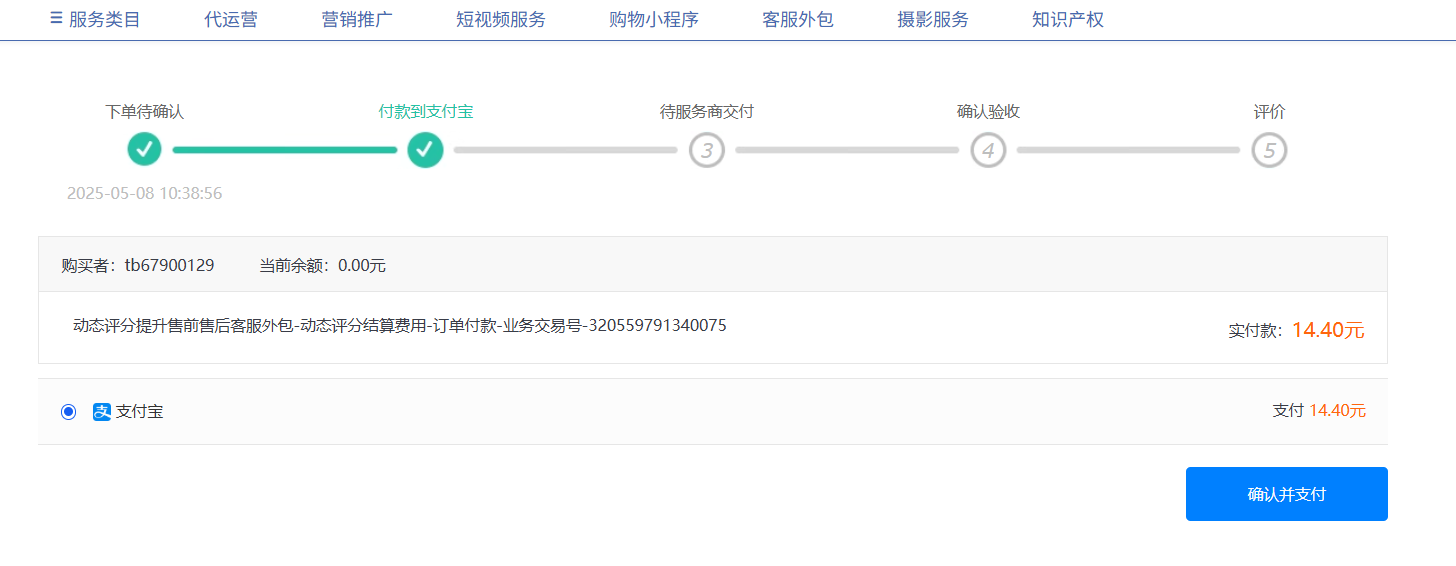
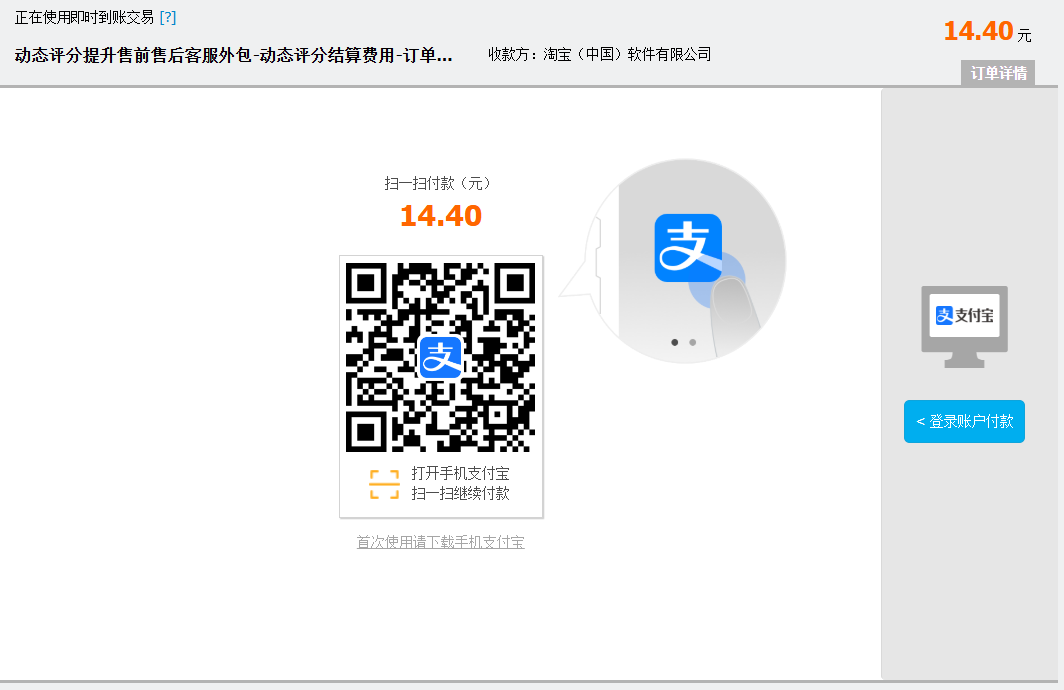
Select the first SKU 'Dynamic Rating Settlement Fee', set the cycle to 12 months (total 14.4 RMB), and click 'I Want to Buy'. Set the start date to the next day, leave the notes field blank or write 'none', check the agreement box, then proceed through 'Place Order → New Payment → Confirm and Pay' and complete payment via Alipay QR scan.
Step 3: Handle the no-store restriction
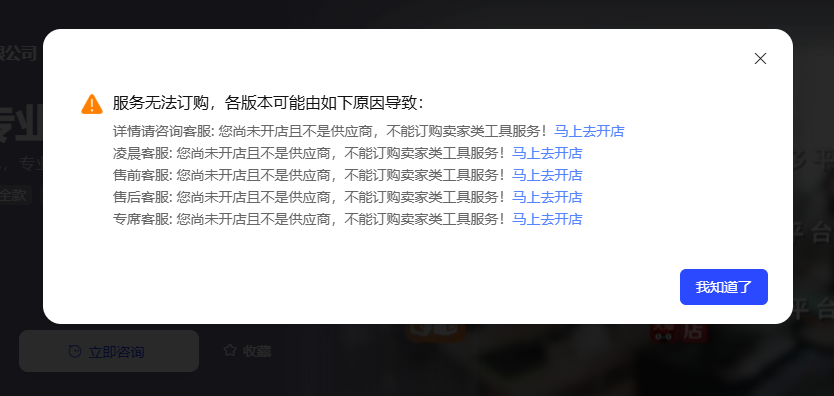
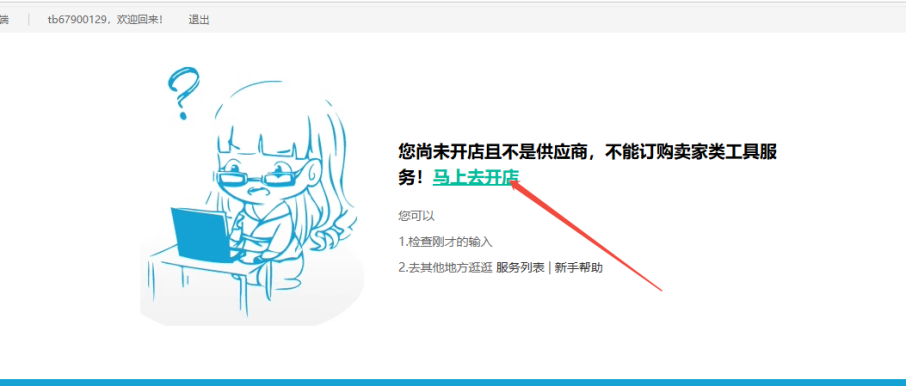
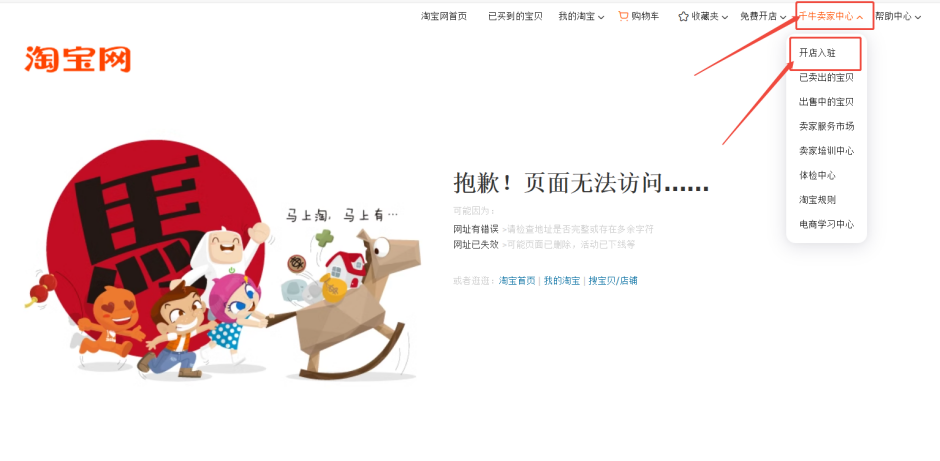
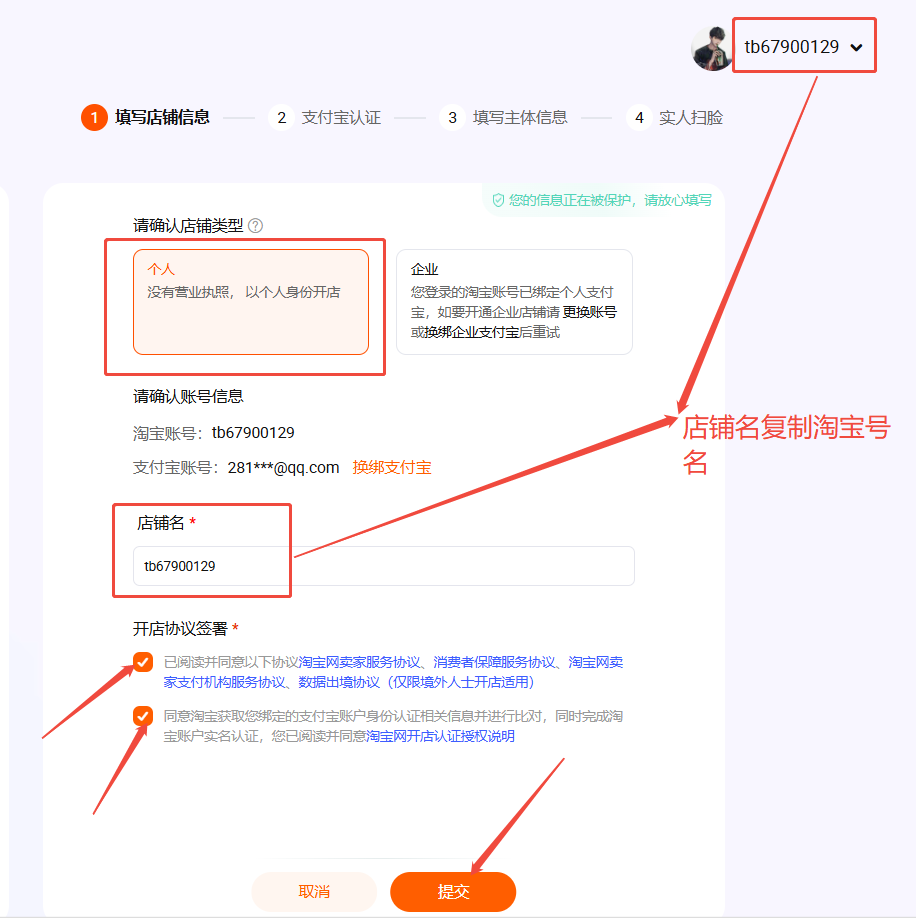
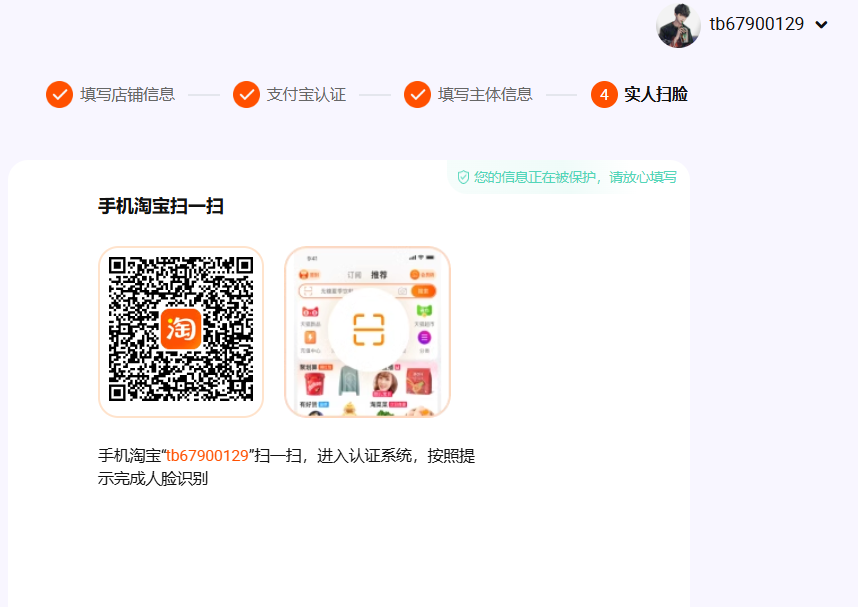
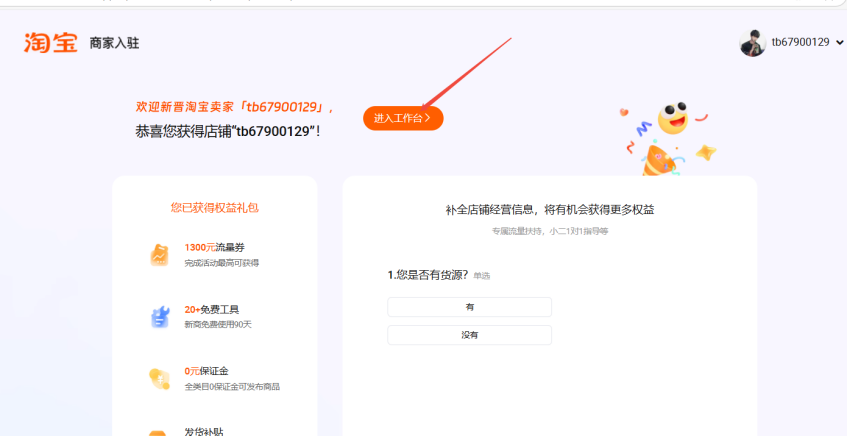
If you see the message 'You have not opened a store and are not a supplier, so you cannot purchase seller-type tool services', follow these steps: 1. Click 'Open a Store Now' → find 'Qianniu Seller Center' in the top-right corner → 'Open Store Registration' (this is a dummy store only) 2. Select 'Individual Store', copy your Taobao account name as the store name, check both agreement boxes, and submit 3. Use your phone Taobao app to complete face recognition and upload your ID card 4. Once done, go back to the service page and re-enter the Baiyue link to place the order: https://weike.taobao.com/service/fwDetail.htm?code=FW_GOODS-1001040471
Step 4: Log your order details after payment
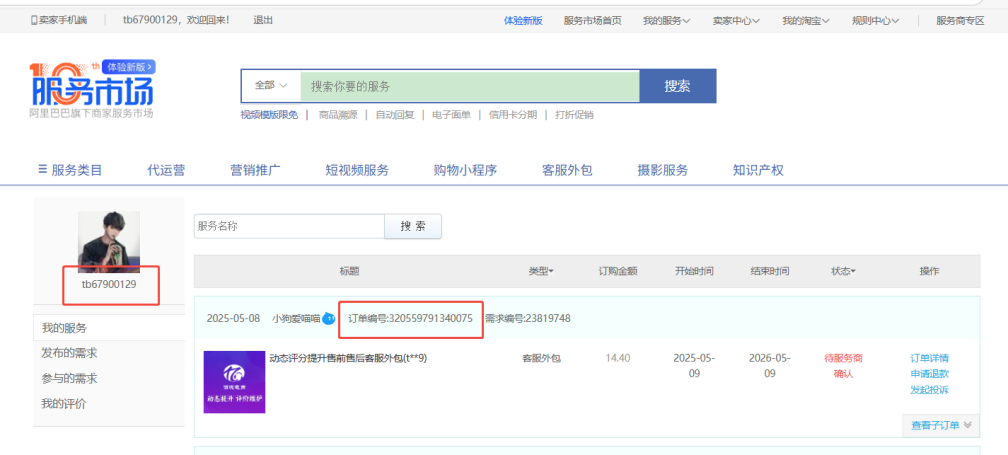
After successful payment, click 'Manage' and copy both the order number and your Taobao account name. You can also view the order at: https://weike.taobao.com/user/my_fuwu.htm The order number and Taobao account name are required for service handoff and verification — make sure to save them.